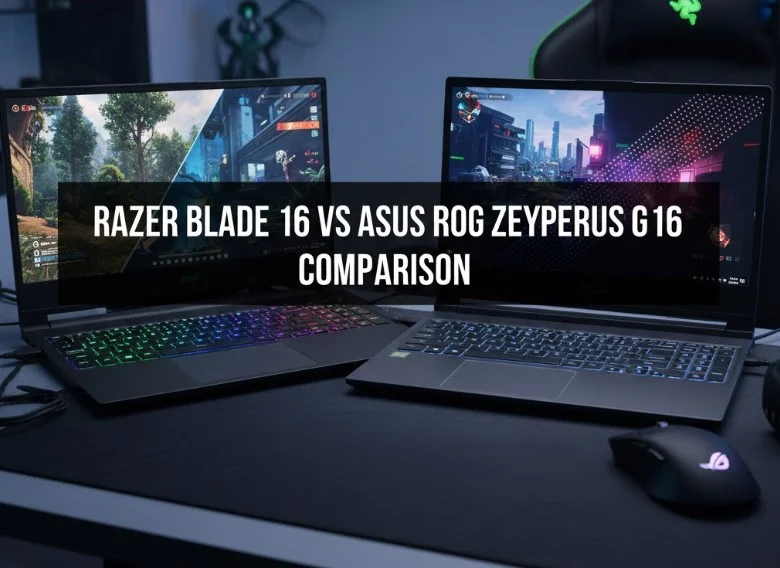
Razer Blade 16 vs Asus ROG Zephyrus G16 Comparison
The fundamental difference in the Razer Blade 16 vs Asus ROG Zephyrus G16 comparison often boils down to design philosophy and power allocation.
The Razer Blade 16 embraces a stealthy, monolithic aesthetic and pushes for the absolute maximum performance ceiling, often allowing its top-tier GPUs to run at higher power limits.
Conversely, the Asus ROG Zephyrus G16 prioritizes a blend of style, superior portability, and value, delivering exceptional performance in a lighter, thinner chassis.
By evaluating their design, performance, display quality, and thermals, we will provide the detailed breakdown necessary to crown the champion that best suits your specific needs.
In the high-stakes world of premium gaming laptops, few rivalries are as fiercely contested as the Razer Blade 16 vs Asus ROG Zephyrus G16 comparison. These two machines represent the pinnacle of thin-and-light power, each vying for the title of the ultimate portable powerhouse for gamers and creative professionals alike.
They both offer top-tier components, stunning OLED displays, and beautiful chassis designs, making the choice between them a true battle of features and philosophy.
This extensive blog article dives deep into every critical aspect, from raw performance metrics to the subtle nuances of user experience, to help you determine which of these magnificent machines truly deserves a spot in your backpack.
Design and Build Quality: A Clash of Aesthetics
The conversation around the Razer Blade 16 vs Asus ROG Zephyrus G16 comparison often begins with their fundamental design philosophies.
While both laptops operate in the premium, high-performance category, their aesthetic choices and material applications are distinct, shaping the user’s initial perception and long-term satisfaction.
Both machines leverage advanced construction techniques to deliver durability and a high-end feel, but their resulting styles appeal to different user sensibilities.
The Chassis Material: CNC-Milled Aluminum Perfection
Both the Razer Blade 16 and the Asus ROG Zephyrus G16 utilize CNC-milled aluminum for their primary chassis construction, which is a hallmark of premium laptop design.
This technique involves precisely carving the body out of a solid block of aluminum, resulting in an exceptionally rigid structure with tight tolerances and a luxurious, cool-to-the-touch feel.
This choice of material contributes significantly to their durability, minimizing flex in the lid and keyboard deck, a crucial factor when transporting a powerful and expensive machine.
The difference here is nuanced: the Blade 16 often feels marginally thicker and denser, contributing to a sense of absolute solidity, whereas the G16’s aluminum is optimized for its thinner profile, making it slightly less weighty but still remarkably robust.
This shared commitment to high-quality metal construction ensures that either laptop will stand up to the rigors of frequent travel and intensive use.
Razer Blade 16: The Stealth Bomber Aesthetic
The Razer Blade 16 embodies a commitment to minimalist, stealth aesthetics. Its design is characterized by sharp lines, clean edges, and the unmistakable, uniform matte black finish.
This design choice intentionally blurs the line between a high-end gaming laptop and a professional workstation, making it palatable in any setting, from a corporate boardroom to a competitive gaming event.
The lack of overt gamer flair, aside from the subtly lit, iconic green tri-snake logo on the lid, is a major selling point. However, this matte black finish is notoriously prone to fingerprint smudges and oils.
Maintaining the Blade’s pristine look often requires frequent wiping, which is a minor, yet persistent, aesthetic upkeep requirement for the owner. The overall look is one of professional power and density, appealing to users who prefer a refined, understated approach to high-performance computing.
Asus ROG Zephyrus G16: The Sophisticated Minimalist
The Asus ROG Zephyrus G16 has evolved its design language to embrace a more sophisticated, modern minimalism. In its latest iterations, the G16 has moved away from the complex, sometimes over-the-top, gamer aesthetics of its predecessors.
Its design features cleaner lines and a subtle color palette, often available in muted gray or white tones that resist smudging better than Razer’s black finish. A key design element is the “Slash Lighting” diagonal light bar on the lid, which replaces the more intricate AniMe Matrix display.
This bar provides a touch of stylized illumination without being overly distracting, representing a conscious move toward a hybrid design that appeals to both gamers and creative professionals.
The G16’s construction is geared towards maximizing the thin-and-light concept, resulting in a chassis that is perceptibly lighter and thinner than the Blade 16, offering a tangible advantage in terms of daily portability and ease of carrying.
Portability and Dimensions: Weight vs. Power Density
A critical point of divergence in the Razer Blade 16 vs Asus ROG Zephyrus G16 comparison lies in their physical dimensions and portability. The Razer Blade 16, while thinner than many traditional gaming laptops, is built with a focus on power density.
It packs the highest-wattage components and an advanced vapor chamber cooling system into a package that typically weighs around 2.1kg. This heft contributes to its solid feel but also makes it the less comfortable option for daily commuting.
In contrast, the Asus ROG Zephyrus G16 is specifically engineered for enhanced portability, often coming in at a lighter 1.95kg and sporting a noticeably thinner profile, sometimes by a few millimeters.
This reduction in weight and volume is achieved through careful internal component placement and often, a slightly lower Total Graphics Power (TGP) limit for its GPU, which manages thermal output more efficiently in the smaller chassis. For users prioritizing ease of transport, the G16 offers a compelling edge.
Display Hinge and Structural Rigidity
The quality of the display hinge and overall structural rigidity contributes significantly to the long-term perception of build quality. The Razer Blade 16 is renowned for its firm, robust hinge mechanism.
This hinge allows the lid to be opened smoothly but holds it securely in place with minimal wobble, reinforcing the laptop’s premium feel. The uniformity of the aluminum construction also ensures exceptional rigidity, making the laptop resistant to torsion or twisting.
The Asus ROG Zephyrus G16 also features a strong hinge, often incorporating a design that slightly elevates the rear of the laptop when opened to improve airflow and ergonomics.
While the G16’s build is excellent, some reviewers observe that its thinner chassis can exhibit slightly more flex in the center of the keyboard deck or lid compared to the tank-like Blade 16, a trade-off inherent to its focus on reduced weight and thickness.
Performance and Thermals: The Power Ceiling
In the critical area of performance and thermal management, the Razer Blade 16 vs Asus ROG Zephyrus G16 comparison reveals distinct engineering philosophies that directly impact raw power output and sustained performance.
Both machines integrate the latest high-end components, including flagship Intel CPUs and NVIDIA GeForce RTX GPUs, yet the constraints imposed by their respective chassis sizes and cooling designs dictate just how far these components can be pushed.
This power ceiling is the crucial difference, determining peak frame rates in gaming and rendering times in professional applications.
GPU Power (TGP) and Frame Rate Priority
The most significant performance divergence in the Razer Blade 16 vs Asus ROG Zephyrus G16 comparison centers on the Total Graphics Power (TGP) allocated to the discrete GPU. The Razer Blade 16 is explicitly engineered to prioritize absolute peak performance.
Razer typically implements a higher TGP limit for its NVIDIA RTX GPUs (e.g., up to 160Watts for an RTX 5090). This higher wattage allows the GPU to consume more power, generate more heat, and consequently achieve higher clock speeds for longer durations.
This dedication to maximizing TGP results in the Blade 16 consistently delivering higher benchmark scores and superior in-game frame rates when pitted directly against the G16 with the same GPU model.
For the user who demands every possible frame per second and wants the minimal compromise on raw graphical power in a portable format, the Blade 16’s higher power ceiling is a non-negotiable advantage, making it the choice for competitive gamers and professionals with time-sensitive rendering tasks.
Thermal Management and Vapor Chamber Technology
To handle the immense heat generated by top-tier components, both laptops employ sophisticated cooling solutions, often featuring vapor chamber technology.
A vapor chamber utilizes the phase change of liquid to gas within a sealed, flat chamber to efficiently spread and dissipate heat away from the CPU and GPU hotspots across a larger surface area. The Razer Blade 16, with its slightly larger internal volume dictated by its robust chassis, allows for a more voluminous vapor chamber and potentially larger heat sinks and fans.
This enables it to effectively manage the heat produced by its higher TGP GPU, resulting in more stable, sustained performance under extreme load, often while maintaining a relatively controlled external temperature.
The Asus ROG Zephyrus G16 also uses a vapor chamber, sometimes combined with liquid metal thermal compound on the CPU to enhance efficiency.
However, its thinner chassis acts as a thermal constraint; while the cooling system is highly efficient for its size, it ultimately has a lower heat capacity, forcing the system to maintain a lower power limit on the GPU to prevent thermal throttling, ensuring the chassis remains thin and portable.
CPU Performance and Power Profiles
While the GPU drives gaming frame rates, the CPU dictates overall system responsiveness and performance in applications like video editing and coding compilation. The Razer Blade 16 frequently opts for the highest-end desktop-replacement CPUs, such as the Intel Core HX-series chips.
These CPUs are designed for maximum multi-core performance and typically boast higher core counts and higher TDP (Thermal Design Power) envelopes.
When paired with the Blade’s robust cooling, this configuration offers a significant edge in CPU-intensive professional workloads. Conversely, the Asus ROG Zephyrus G16, especially in its lighter configurations, often utilizes highly efficient processors like the Intel Core Ultra H-series or AMD Ryzen AI chips.
These chips offer exceptional performance per watt and feature dedicated neural processing units (NPUs) for AI acceleration.
While the G16’s CPU performance might be marginally lower than the peak of the Blade 16 in raw synthetic benchmarks, it delivers outstanding efficiency and battery life, making it a better all-arounder for users who blend productivity with gaming and prioritize the unplugged experience.
Acoustic Performance and Fan Noise Profiles
A less technical but equally critical element of the Razer Blade 16 vs Asus ROG Zephyrus G16 comparison is the acoustic performance under load. Since both laptops are pushing the limits of physics in thin chassis, managing fan noise is paramount.
The Razer Blade 16, due to its ability to handle higher total power consumption, often has a higher maximum fan speed and noise output when running in its maximum performance mode.
However, the Blade’s larger fans and vapor chamber often translate this noise into a more consistent, less high-pitched whoosh. The Asus ROG Zephyrus G16, by prioritizing a thinner profile, sometimes employs smaller fans that, while efficient, can generate a more high-frequency pitch or whine under extreme load.
A common point of feedback for the G16 is that its fans can be more prone to frequent, noticeable cycling, ramping up and down rapidly even during moderately demanding tasks, which some users find more distracting than the Blade’s more consistent, if louder, fan noise during peak usage.
Display Excellence: OLED Dominance
Both the Razer Blade 16 and the Asus ROG Zephyrus G16 are at the forefront of display technology, offering stunning, high-refresh-rate OLED panels. This is where the battle for the best visual experience is fought.
Shared Specifications
Both machines in their flagship configurations offer:
- 16-inch, 16:10 aspect ratio displays.
- QHD+ resolution (2560 x 1600pixels).
- A blistering 240 Hz refresh rate and an incredibly fast 0.2ms response time.
- 100% DCI-P3 color gamut coverage, making them ideal for color-critical work like photo and video editing.
- Excellent contrast and true blacks thanks to OLED technology.
Razer’s Edge
While the core panel technology is similar, the Blade 16 sometimes edges out the G16 in terms of brightness and HDR performance. The Razer panel may achieve higher peak brightness in HDR content, resulting in more impactful highlights and a generally richer viewing experience when comparing the screens side-by-side.
Zephyrus’s Advantage
The G16’s advantage is its inclusion of NVIDIA G-SYNC compatibility across its OLED range, which ensures a tear-free gaming experience by syncing the display’s refresh rate with the GPU’s frame rate.
While the Blade 16’s HDMI port may support G-SYNC, the laptop’s internal display and USB-C ports do not always have this critical feature looped through the dedicated GPU, which can be a key deciding factor for competitive gamers. Furthermore, as mentioned, the G16’s display tends to be less reflective.
Input Devices and Connectivity: Comfort and Customization
The interface through which a user interacts with a premium laptop is as critical as the components housed within, making the input devices and connectivity suite a significant battleground in the Razer Blade 16 vs Asus ROG Zephyrus G16 comparison.
The comfort of the keyboard and the functionality of the ports determine the long-term usability, workflow efficiency, and overall satisfaction for both gamers and creative professionals.
While both machines provide the necessary foundation for high-end use, their specific implementations cater to subtly different preferences, particularly regarding tactile feedback, aesthetic customization, and professional data transfer speeds.
Keyboard Tactility and Key Travel Experience
The feel of the keyboard is often the deciding factor for users who spend long hours typing or require precise actuation. The Asus ROG Zephyrus G16 generally offers a more satisfying and comfortable typing experience due to its deeper key travel, often measuring around 1.7mm.
This generous travel distance allows for a more traditional, desktop-like feel, providing solid, cushioned feedback that minimizes typing fatigue. Its layout often includes dedicated media keys, enhancing productivity and control without needing to rely on function key combinations.
In contrast, the Razer Blade 16, while improved in recent models, features a shallower, faster key travel of approximately 1.5mm. While this speedier actuation may be preferred by some competitive gamers who favor immediate response, the feedback is inherently clickier and less substantial than the G16’s.
For users primarily focused on coding, writing, or extensive data entry, the superior ergonomic depth of the Zephyrus G16’s keyboard makes it the slightly more appealing choice in this key aspect of the Razer Blade 16 vs Asus ROG Zephyrus G16 comparison.
Backlighting and Per-Key RGB Superiority
The visual aspect of the keyboard is a crucial element of the user experience, particularly in the gaming laptop segment, and here the Razer Blade 16 shines unequivocally. The Blade 16 provides genuine per-key RGB illumination, offering the user complete, granular control over every individual keycap’s color and effect via the powerful Razer Synapse software.
This allows for complex, dynamic lighting effects, the highlighting of specific key groupings for different games, or the creation of sophisticated, color-matched aesthetic themes. The lighting is typically bright, uniform, and does not suffer from significant light bleed.
The Asus ROG Zephyrus G16, while featuring an appealing overall design, often compromises on keyboard illumination, typically offering only single-zone or simple multi-zone RGB lighting.
This means the entire keyboard, or large sections of it, must share the same color or effect, severely limiting the user’s ability to personalize the aesthetic or create functional lighting cues for gaming.
For the user whose aesthetic pleasure and customization options are paramount, the Blade 16’s superior per-key lighting is a substantial advantage that transcends simple superficiality.
Touchpad Precision and Construction Quality
Both laptops set a high standard for trackpad quality, opting for large, premium glass surfaces that deliver smooth tracking and excellent responsiveness. The Razer Blade 16 is consistently praised for its immaculate, firm construction.
Its touchpad is not only expansive but is also impeccably seated within the aluminum chassis, resisting any perceptible rattle or flex. The click mechanism is tactile and precise, providing a confidence-inspiring feel that rivals the best professional notebooks on the market.
The Asus ROG Zephyrus G16 also features a large, highly functional glass touchpad that occupies a significant portion of the palm rest area.
While generally excellent for gesture control and mousing, some users occasionally note that the G16’s touchpad can feel marginally looser or less rigidly mounted compared to the Blade 16’s, a minute difference resulting from the Zephyrus’s slightly thinner chassis design.
Thus, while both are high-tier, the Blade 16 often holds a slight edge in terms of the sheer structural quality and firmness of the touchpad assembly.
Port Configuration and Dedicated GPU Wiring
The port selection and, more importantly, the internal dGPU wiring reveal crucial differences for professional and high-end gaming setups. Both laptops include the essentials: full-sized HDMI 2.1 ports, multiple USB-A ports, and modern USB-C/Thunderbolt ports.
However, the connectivity of the USB-C ports is key. The Asus ROG Zephyrus G16 typically wires at least one of its USB-C ports directly to the NVIDIA dGPU.
This direct connection is vital for ensuring seamless compatibility with high-refresh-rate external monitors and enabling features like NVIDIA G-SYNC over the USB-C DisplayPort connection, which is a major benefit for competitive gamers.
Conversely, the Razer Blade 16, in some configurations, routes its USB-C video output through the integrated GPU (iGPU), even when the system is set to use the dGPU via Optimus or MUX switch. This can complicate the use of certain external G-SYNC monitors and may incur a slight latency penalty, making the G16 the more reliable choice for demanding external display setups.
Furthermore, the G16 often includes a UHS-II SD card reader, offering significantly faster data transfer speeds, whereas the Blade 16 typically uses a slower UHS-I reader.
Dedicated Shortcut Keys and Software Control
A final point of input comparison is the inclusion of dedicated physical controls. The Asus ROG Zephyrus G16 integrates dedicated hotkeys above the keyboard for volume control, microphone mute, and quick access to the ASUS Armory Crate system control software.
These physical keys offer immediate, tactile access to essential controls, a feature highly valued during intense gaming sessions where quick adjustments are necessary.
The Razer Blade 16 offers a cleaner, less cluttered deck but relies more heavily on function key combinations (Fn keys) for these controls, except for its power button.
While the Blade 16’s cleaner aesthetic is preferred by some, the G16’s dedicated physical media and control keys provide a tangible ergonomic benefit for immediate system management, demonstrating a focus on practical user convenience that goes beyond mere performance metrics.
Who Should Buy the Razer Blade 16?
The Razer Blade 16 is for the discerning user, the one who demands the absolute highest frame rates and performance ceiling possible in a sleek, non-flashy design.
If you need a desktop replacement that looks and feels like a top-tier professional workstation, and your budget is flexible, the Blade 16 is your machine. It sacrifices a little portability for max power.
Who Should Buy the Asus ROG Zephyrus G16?
The Asus ROG Zephyrus G16 is the ideal choice for the user seeking the best balance of performance, portability, and value.
If you are a student, frequent commuter, or creator who needs a powerful, beautiful machine that is easier to carry, has a better keyboard, and saves you money while still delivering outstanding gaming performance, the G16 is the smarter, more practical choice in the fierce Razer Blade 16 vs Asus ROG Zephyrus G16 comparison.
Conclusion
When evaluating the Razer Blade 16 vs Asus ROG Zephyrus G16 comparison on cost, a clear pattern emerges: The Razer Blade 16 typically commands a significant price premium over a similarly configured Asus ROG Zephyrus G16. The Razer Blade 16 is the luxury option. The Asus ROG Zephyrus G16 offers better value for the money and is the more balanced machine.